Faceless videos: how to make reels without a camera
Many experts know they should post short videos and still don't. Filming means a camera, light, makeup, a tidy background, ten takes and then editing. Faceless videos promise a way out. This guide looks at the common faceless formats, where they fall short for experts, and how to make reels without a camera that still sound and look like you.
What “faceless” usually means
Faceless content covers any video where nobody films themselves. The usual formats:
- Stock footage with a voice-over, often a generated voice.
- Text on screen over a background or a slideshow.
- Screen recordings for software and tutorials.
- Hands only: cooking, writing, crafting.
- Avatars or generated presenters.
These work for some niches. For experts, coaches and consultants they have a catch: your audience follows you. A generic voice over generic footage could come from anyone. Trust comes from hearing a real person explain something they know.
Camera-free, not voice-free
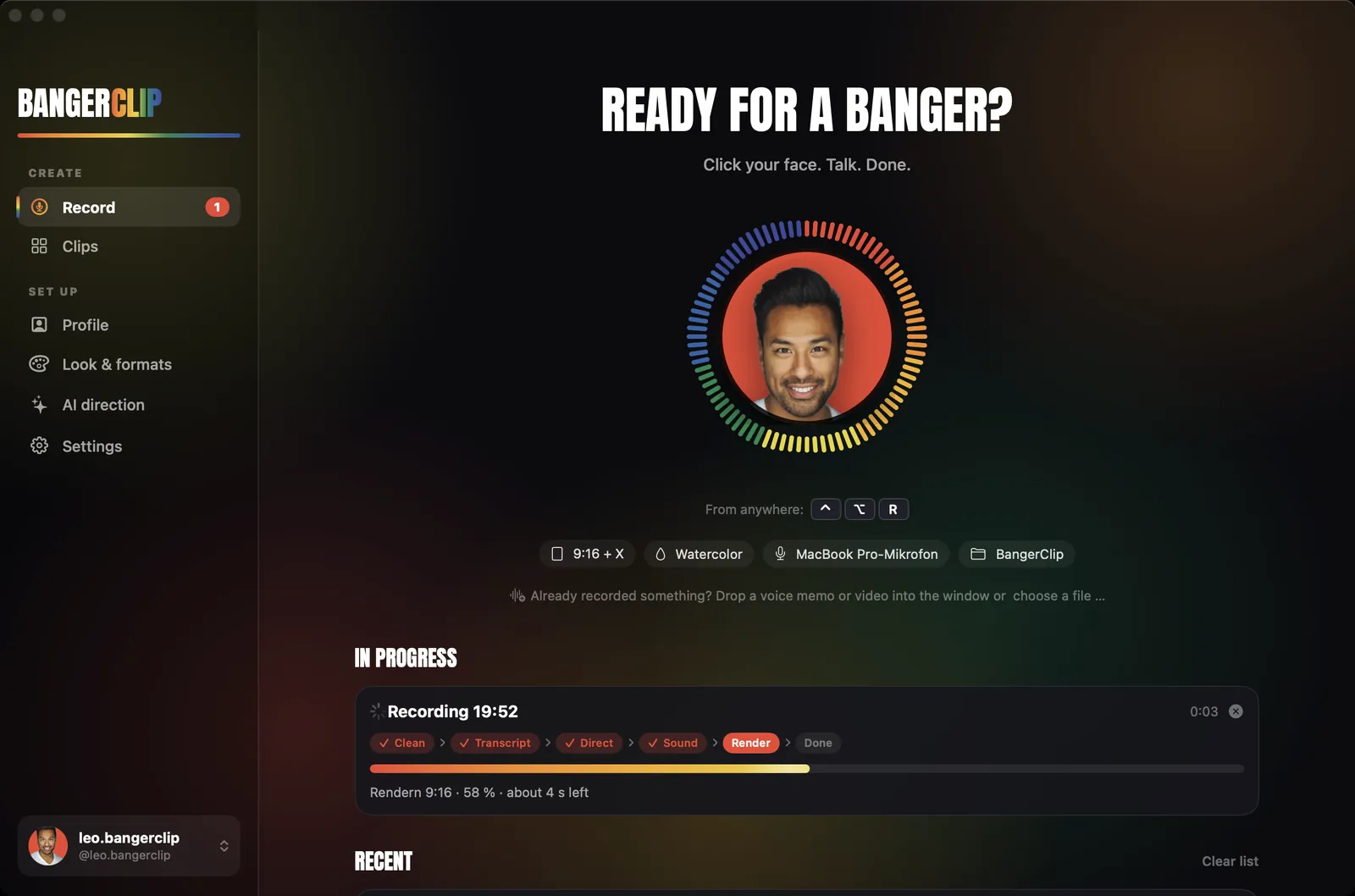
BangerClip takes a different route. You skip the camera, but you keep the two things that make a clip yours: your voice and your face. You record your voice for about a minute. You upload a photo of yourself once. BangerClip builds the reel from that:
- your photo sits in a sound ring that moves with your voice,
- word by word subtitles follow what you say,
- animated graphics show your points: icons, numbers, lists, comparisons,
- your logo and colors appear in one of four looks,
- music plays underneath and gets quieter whenever you speak.
To be clear: these clips are not anonymous. Your photo is in every clip, because people follow people. What you skip is the filming, the light and the editing.
Nobody filmed these clips. Each one was made from a short voice recording and one photo. Photos from Unsplash, shown muted.
How to make a reel without a camera
- Install BangerClip on your Mac. A Mac with Apple silicon and macOS 14 or later. On first launch, it downloads its speech model and render tools once, about 800 MB.
- Set up your profile. The assistant asks for a photo of yourself and your logo. BangerClip picks up your brand colors from the logo.
- Press ⌃⌥R and talk. Anywhere on your Mac, even with the Studio closed. One idea, about a minute. Press ⌃⌥R again to finish.
- Let BangerClip build the reel. It cuts the pauses, transcribes, plans scenes and renders the clip with your photo, subtitles, graphics and music.
- Check and post. Look over the subtitles, then share. A caption with hashtags and a post for X come with every clip.
Already have voice memos on your phone? They work too, see audio to video.
Try it with your next idea
Free: 3 clips a month, no credit card. For Macs with Apple silicon and macOS 14 or later.
What you need for good sound
Without a camera, your voice carries the whole reel, so a little care with sound pays off. You don't need a studio:
- A microphone close to your mouth. A headset or a simple clip-on mic beats the built-in microphone across the room.
- A soft room. Curtains, a sofa, a bookshelf. Bare walls and tiles echo.
- Talk like you talk to a client. Not like you read a script. Natural pauses are fine, BangerClip cuts them.
- One take. If you stumble, pause and say the sentence again instead of starting over.
BangerClip cleans up the recording, evens out the loudness and sets it to Instagram level, but a clear recording always gives the best subtitles.
Ideas for reels you can talk instead of film
- Myth or fact: one belief in your field and what's actually true.
- Three things: three tips, three mistakes, three questions to ask.
- One number: a figure that surprises people, and what it means for them.
- The question you hear every week from clients or patients, answered in a minute.
- Before and after: “Instead of 60 minutes, try 25”. With AI direction this becomes a comparison on screen.
- What you would do differently if you started again.
Every clip comes with word by word subtitles, so it works with the sound off. More on that in adding captions to Reels.
Free or Pro?
Free
- 3 clips per month
- 9:16 for Reels, TikTok and Shorts
- Watercolor look
- Rule-based direction, plus 2 AI test clips with your own Claude
- Short “Made with BangerClip” end card
Pro $9 a month or $79 a year
- Unlimited clips and unlimited AI direction with your own Claude
- From video: talking head and best moments
- 9:16, 1:1, 16:9 and its own X version, all four looks
- Your own asset box with your photos, videos and logos
- No end card
AI direction plans the scenes with your own Claude, either your Claude plan via Claude Code or your own Anthropic API key. It only gets the transcript text, never your audio.
Honest limits
- BangerClip clips show your photo. If you want to stay fully anonymous, it isn't the right tool.
- It doesn't generate voices. It is made for your own voice.
- It runs on Macs with Apple silicon and macOS 14 or later, not on Windows or iPhone.
- English and German speech, detected per recording.
FAQ
Do I need a camera to make reels with BangerClip?
No. You only record your voice. You upload a photo once, and it sits in a sound ring that moves with your voice. No camera, lighting or editing.
Are these faceless reels?
They are camera-free, not anonymous. Your photo appears in the clip, so your audience knows who is talking. You never have to film yourself.
Can I use an AI voice instead of my own?
BangerClip doesn't create voices. It is built for your own voice, which is what makes the clip sound like you.
Is my voice uploaded anywhere?
No. Recording, transcript, editing and rendering happen on your Mac. With AI direction, only the transcript text goes to your own Claude.